One of the main characters or elements of my animatic is lava. It is a very difficult thing to achieve the quality result while designing this. One way of doing is to use still image but I believe at this point it is well below my station to use this shortcut. Another way is to do it through CGI or frame by frame design development. In these cases I lack the skill and time so this route is also note feasible at this point.
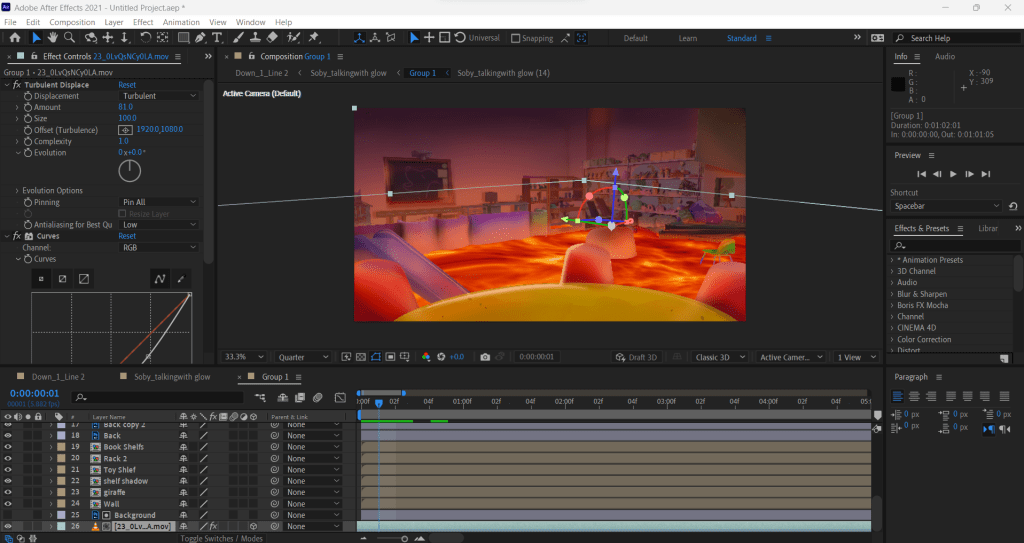
At times I am just awestruck by the luck that I possess. I just keep on finding ways that can make any designers life easy. In line with this, I just found an aftereffects tutorial which taught me that you can use turbulent displacement and noise effects for this creation. Hence, the work continues.
From the very beginning I wanted to CGI the lava but it deemed a very daunting task and would have consumed a lot of my time. Instead of going through the pain staking process of learning a new software, I found a tutorial that turbulent noise can do the same trick.
I knew the effect was going to be heavy but I never anticipated it to be PC killer. Somehow I managed to get a render and converted the layer into 3d and basically alpha matted it onto the background. Masking over the tiny details and edges of the furniture was a tedious task but was necessary. [1}
Breakdown
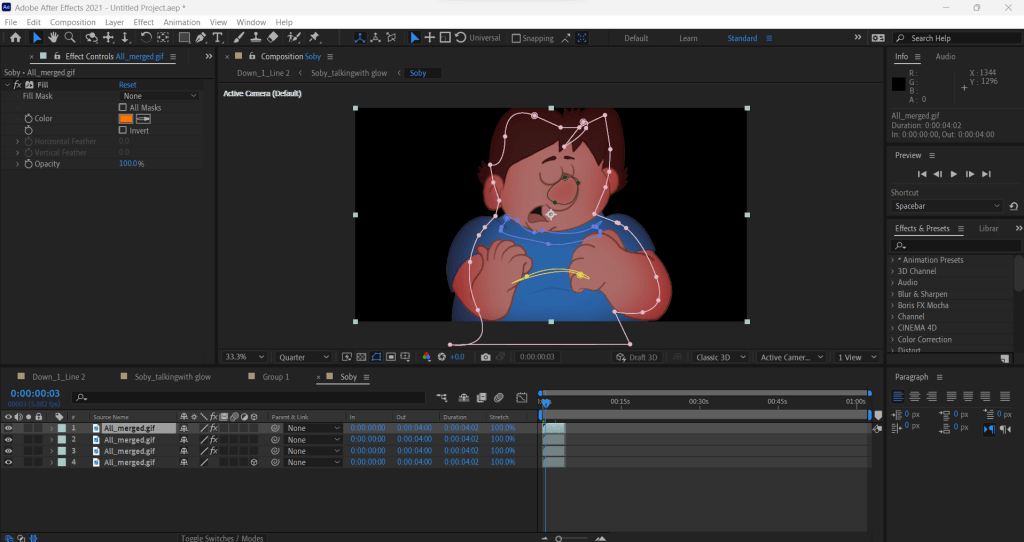
Intially I just masked the layers and feathered it but it looked off, then I went and found about a little tool called Wave warp that gives the effect of a water and just like that my composited scene is born. [2}
The Final Version

References
- http://www.youtube.com. (n.d.). THE FLOOR IS LAVA Challenge in After Effects VFX Tutorial. [online] Available at: https://www.youtube.com/watch?v=D1LoLXvdESY&t=13s [Accessed 31 Aug. 2023].
- http://www.youtube.com. (n.d.). How to create floating boat effect | Wave Wrap | Adobe After Effects Beginners Tutorial. [online] Available at: https://youtu.be/uQ1aAZ_46sQ?si=ij_owQVQPcu89qdF [Accessed 31 Aug. 2023].
 Arsalan Awais